AI identity governance: a buyer checklist for execution and control
Evaluate AI identity governance beyond a chatbot demo: permissions, approvals, execution, exceptions, audit evidence and operator control.

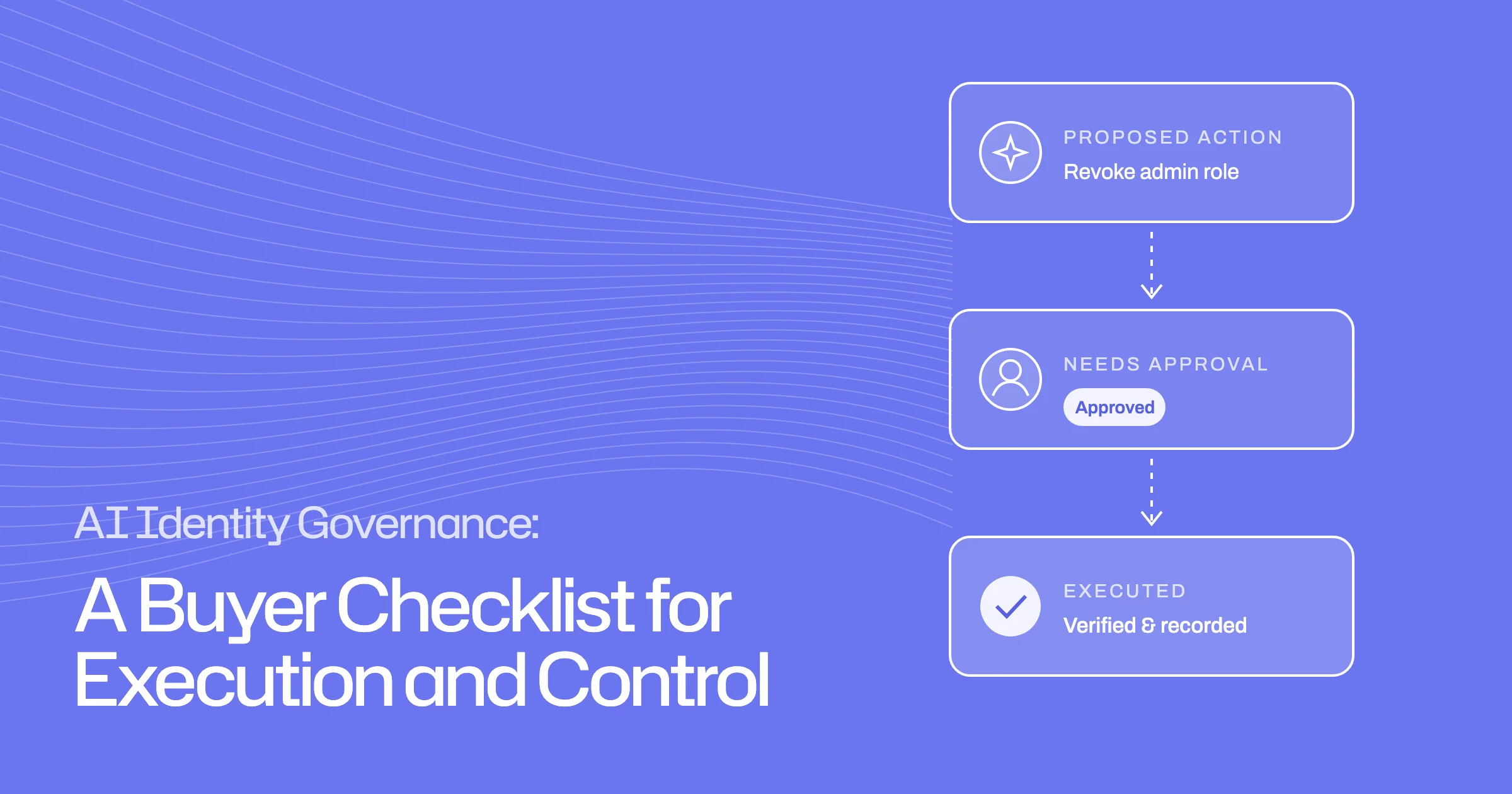
- Judge an AI identity tool on what it may change, who decides, and what it can prove.
- Set permissions per action: read-only, needs approval, rule-based, or blocked.
- Test failures and silence, not just the happy path.
- Get data use, retention and training answers in writing.
The useful question about an AI identity governance tool is not how well it answers questions. It is what it is allowed to change in your systems, who decides that, and what it can prove afterwards. A good evaluation tests permissions, approvals, failure handling and evidence, not the chat window.
This checklist is for security and identity leaders evaluating AI-assisted identity governance and administration (IGA). It gives you questions and demo scenarios that separate an assistant that suggests from an agent that does the work under control.
What does AI identity governance mean here?
In this guide, AI identity governance means AI doing identity governance work: preparing access reviews, handling requests, running joiners and leavers, and following up on findings.
AI performing governance versus governing AI identities
The same phrase is also used for something different: governing the identities of AI agents themselves, such as the service accounts, tokens and permissions agents use. That is a separate problem, covered in our AI agent governance glossary entry. A tool may do one, the other, or both, so be clear which one you are evaluating.
Separate recommendation from execution
Most AI features in identity tools recommend. Fewer execute. Both are useful, but they need different controls.
- Answers questions and drafts recommendations
- A person makes every change
- Evidence lives wherever the person recorded it
- Plans, proposes and carries out changes
- Permissions set per action, with approvals
- Every step verified and recorded
What action changes a real system?
Ask the vendor to list, for each capability, whether the AI:
- only reads and analyses
- proposes an action for a person to approve
- carries out an action within rules you set
- carries out an action without asking
Then ask which real systems each action touches: granting or removing access, changing group membership, revoking sessions, messaging employees.
What evidence confirms completion?
- PlanSteps and success criteriaWritten before anything changes.
- ProposeAction with reasoningShown to the person who owns the decision.
- ApproveA named yesUnless a rule you wrote already allows it.
- ExecuteChange made and checkedVerified in the target system and logged.
For anything the AI executes, ask how it knows the action worked. "The API returned success" is weaker than "the account list was re-read and the access is gone". The record should show what was planned, what was done, and how it was checked.
Inspect permission and approval boundaries
The controls around an AI agent matter more than the model behind it.
Read-only observation, supervised work and guarded actions
Look for distinct levels of trust that you can set yourself, for example:
- Observe: reads and analyses, changes nothing.
- Supervised: proposes every action and waits for a person.
- Rule-based: acts automatically only when an action matches rules you wrote, and asks otherwise.
Check that permissions can be set per action, not just per agent, and at different scopes: organisation-wide defaults, specific automations, and individual sessions. Ask how you see what is currently allowed, and how you undo a change.
Hard blocks and human decisions
Some actions should never be automatic. Ask whether you can block specific actions entirely, so the AI cannot use them whatever it is asked to do. Ask what still needs a named person.
Test exceptions, failed actions and operator intervention
An agent's worth shows when things go wrong. Ask to see:
- an action that fails partway, and what the agent reports
- a task that needs an answer from a person who does not reply
- an operator stopping or redirecting the agent mid-task
- a task the agent cannot complete, and whether it says so plainly rather than reporting success
An honest result such as "done", "done with caveats" or "blocked" is more useful than a confident summary.
Check data access, auditability and vendor evidence
Ask about retention and training; do not assume the answers
Identity data is sensitive. Ask the vendor directly, and get answers in writing:
- what data the AI can read, and whether that can be limited
- where data is processed and stored, and for how long
- whether your data is used to train models
- which subprocessors are involved
- how every AI action appears in the audit log
Check the answers against the vendor's security documentation and data processing agreement rather than the sales deck.
Buyer demo scenarios and questions
Run these in a demo or trial. They are illustrative tests; adapt them to your own policies.
| Scenario | What to watch | Evidence to ask for |
|---|---|---|
| Proposed revocation | The AI explains why, then waits for approval | Recommendation, reasoning and approver kept separately |
| Rule-matched action | Runs automatically only when your rule matches | Which rule allowed it |
| Blocked action | The AI cannot perform it, even when asked directly | Where the block is configured |
| Failed execution | Failure reported, retried or escalated | Attempt history, not just the final state |
| Person not responding | Chases, then reports the task as blocked | Messages sent and outcome declared |
| Operator intervention | Pause, change the plan or take over | Who intervened and what changed |
How Luna describes its controls
Luna is Ploy's identity agent. Luna works under three permission levels. In Observer she reads and analyses, with no writes or actions. Supervised requires confirmation for every action. Custom lets you set rules. Every tool she can use carries its own setting, and destructive actions can be hard-blocked so she cannot use them whatever a job asks for. A "needs approval" action is proposed with her reasoning and waits for a yes; a "guarded" action runs automatically only when one of your rules matches, and otherwise asks.
Organisation defaults cascade to automations, agents and individual chats, and overrides are visible and can be reverted. Before acting, Luna breaks a job into steps and success criteria you can change, and each step is verified and recorded as she goes. Automated agents end with an outcome of done, done with caveats, or blocked. In access reviews, she recommends and reviewers decide: nothing changes until a reviewer certifies.
To test these controls against the scenarios above, book a demo.
Frequently asked questions
What can an AI identity agent execute, and what still needs human approval?
That should be your decision, set per action. A well-controlled agent lets you keep some actions read-only, require approval for others, allow some only when your rules match, and block the riskiest entirely. Ask the vendor to show where each setting lives and how it is enforced.
How do we evaluate an AI IGA agent beyond its chatbot demo?
Give it real tasks with failure built in: a removal that errors, a person who does not reply, an action it is not allowed to take. Judge it on whether it stays within its permissions, reports problems honestly, and leaves a record you could give an auditor.
Is AI identity governance the same as governing AI agents?
No. One is AI doing governance work on human and machine access. The other is governing the access that AI agents themselves hold. Some vendors cover both, but they are separate evaluations.
What should we ask to see in a demo?
Ask to see a proposed action waiting for approval, an action blocked by configuration, a failed execution, and the audit record of a completed task.