IGA vs IdP: do you need identity governance alongside Okta or Microsoft Entra?
Already using Okta or Microsoft Entra? Use a coverage checklist to decide which identity governance gaps, if any, still need solving.
- Okta and Microsoft both sell governance features; check your licence before buying anything.
- The deciding question is coverage: how much of your estate sits outside the IdP.
- Both vendors document review decisions that cannot be applied automatically. Someone has to own that work.
- Use the self-assessment table to find real gaps, not to score vendors.
You may not need a separate identity governance tool. Both Okta and Microsoft sell governance capabilities (access requests, access reviews and lifecycle automation) alongside their identity providers. The real question is whether what you already own, or could license, covers your estate and the way you need to operate. This checklist helps you work that out before buying anything.
It is for IT and security leaders who run Okta or Microsoft Entra ID and are being asked, often by an auditor, how access is requested, reviewed and removed. Vendor details below were checked against Okta's and Microsoft's own documentation in November 2026. Editions and features change, so confirm against current documentation and your own contract.
IdP, SSO and IGA: what is the difference?
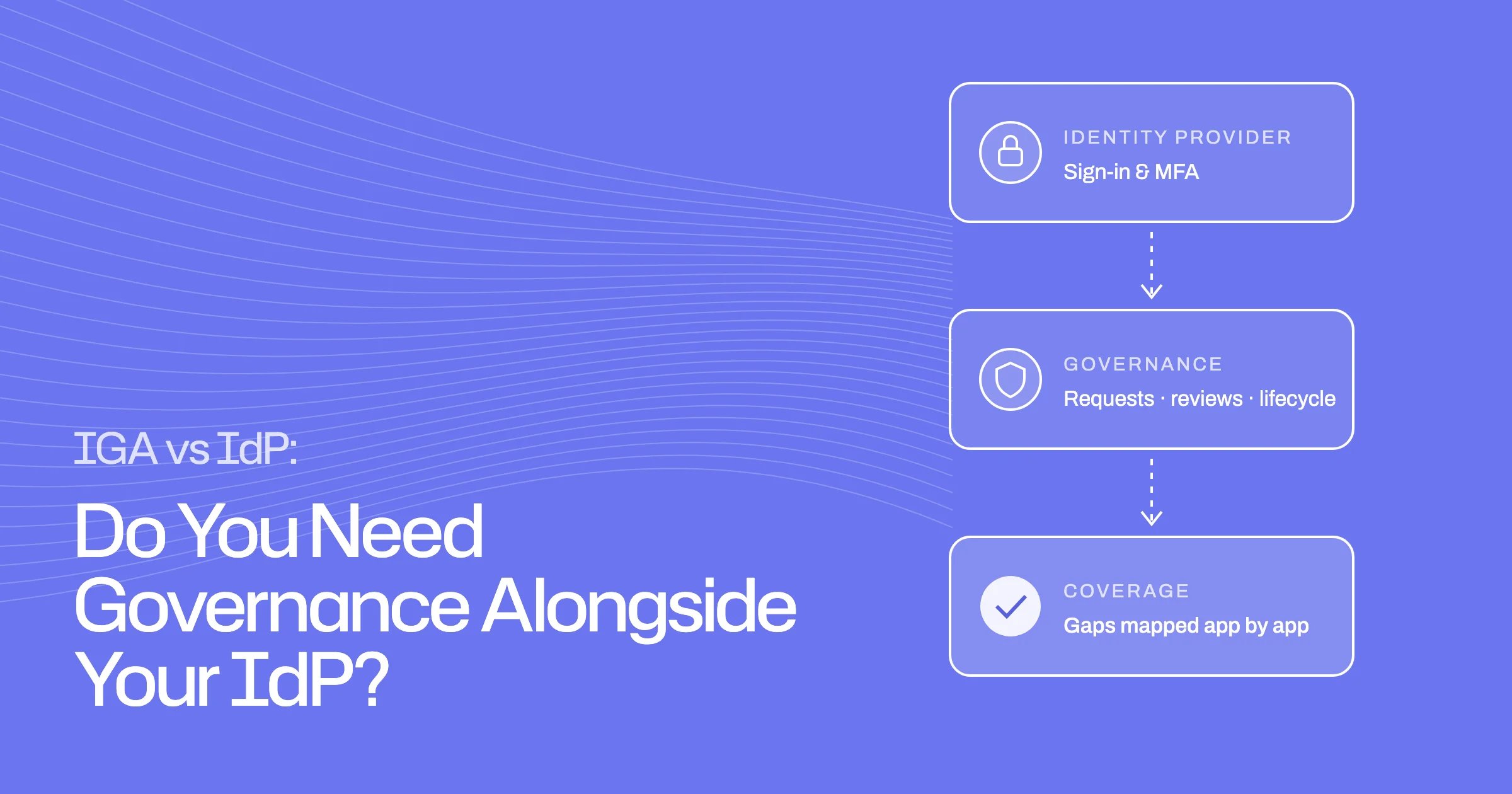
An identity provider (IdP) decides who someone is and lets them sign in. Identity governance and administration (IGA) decides what they should have access to, keeps that right over time, and proves it.
Authentication and access governance are different jobs
- Single sign-on and MFA
- User directory and groups
- App assignments for connected apps
- Requests, approvals and expiry
- Joiner, mover and leaver changes
- Reviews, removal and audit evidence
Single sign-on (SSO) and multi-factor authentication answer "is this really the person?". Governance answers different questions:
- Should this person have this access, at this level, right now?
- Who approved it, and when does it end?
- When they change role or leave, what changes, and was it done?
- Can we show an auditor all of the above?
One vendor can provide both
These are different jobs, but not necessarily different products. Okta and Microsoft both offer governance features on top of their IdPs, licensed separately from basic sign-in. Treating your IdP as "just SSO" can lead you to buy something you already have.
Start with the capabilities you already own
Before mapping gaps, find out what your current licences include and what you could add.
Okta and Microsoft offer governance capabilities
Okta. Okta Identity Governance is made up of Lifecycle Management, Workflows and Access Governance. Access Governance covers access certifications, access requests, entitlement management, resource owners, separation of duties and reporting (Okta documentation). Okta's pricing page lists governance in higher suites or as an add-on, rather than in its entry-level SSO and directory package (Okta pricing).
Microsoft. Microsoft Entra ID Governance is an add-on for Entra ID P1 and P2 customers. P2 includes Privileged Identity Management and the access review and entitlement management features that were already part of P2. Lifecycle Workflows and several newer review features require Entra ID Governance or the Entra Suite. Microsoft states that new governance features will not be added to P2 (Microsoft licensing guide).
Confirm editions, entitlements and implementation scope
For each capability, check three things:
- Is it in your licence today, or would it need an upgrade or add-on?
- Is it switched on and configured, or only available?
- Does it cover the apps that matter, or only the ones connected to the IdP?
The third question usually decides the answer.
Map estate coverage and operating gaps
Governance tools are strongest on apps they are connected to. The gaps are usually at the edges.
Requests, lifecycle, certifications and remediation
For each area, ask how it works for your connected apps, and what happens for the rest:
- Requests: Can people ask where they already work, and are routine requests approved by policy? Does access expire automatically?
- Lifecycle: Are joiners, movers and leavers driven from your HR system, including removal of old access when someone moves?
- Certifications: Can reviewers see enough context to decide, and are reviews scoped by role and entitlement rather than just app membership?
- Remediation: When a reviewer says "remove", does it happen automatically, and is it verified?
Remediation is worth checking closely. Both vendors document cases where a review decision cannot be applied automatically. Okta notes that some access, such as apps assigned through group rules, still needs to be remediated separately (Okta documentation). Microsoft lists group types where results cannot be applied automatically, such as on-premises synced and dynamic groups (Microsoft documentation).
Direct SaaS access and disconnected resources
Many estates have apps with local accounts, admin consoles outside SSO, or tools a team adopted on its own. Both vendors offer a way to bring these into reviews by importing user and entitlement data as files (Okta, Microsoft). Microsoft's version is in preview at the time of writing. In both cases, removing access from the disconnected app happens outside the governance tool, and is then recorded.
Count how many in-scope apps fall into this group, and how often their data changes. A handful of stable apps is manageable by file import. Dozens of changing apps can become a large manual job.
Compare extending the existing stack with adding an IGA layer
There are two broad options, and both are legitimate.
Extend what you have. If most in-scope apps are connected to your IdP, your team already runs it well, and the governance licence fits your budget, extending the existing stack keeps everything in one place.
Add a governance layer alongside the IdP. If much of your estate sits outside the IdP, or you need more automation in removal and follow-up, a separate governance tool can work on top of the IdP rather than replacing it.
Integration effort, ownership, evidence and operating cost
Compare the options on:
- Integration effort: how many apps each option connects to, and how much setup each needs.
- Ownership: who runs it day to day, and how much manual work remains.
- Evidence: what an auditor receives, and how long records are kept. For example, Microsoft keeps Entra audit logs for 30 days on P1 and P2 unless you route them to longer-term storage (Microsoft documentation).
- Operating cost: licences, plus the staff time for anything that stays manual.
Coverage checklist for an evaluation call
Fill in one row per capability for your own estate. The columns are deliberately about your setup, not a vendor score.
| Capability | Current implementation | Evidence you can produce | Gap | Next test |
|---|---|---|---|---|
| Access requests | Where people ask; what is auto-approved | Request, approver, duration, removal | Apps outside the catalogue? | Request an app with no integration |
| Joiners | HRIS-driven or manual | Day-one access record | Apps set up by hand? | Start a test joiner |
| Movers | Is old access removed? | Before and after access list | Access left over after moves? | Move a test user between departments |
| Leavers | IdP disable plus what else | Per-app removal record | Accounts outside the IdP? | Offboard a test user with a local account |
| Access reviews | Which apps; how often; who reviews | Decisions, reviewer, sign-off | Disconnected apps covered? | Review one disconnected app |
| Remediation | Automatic or manual | Verified removal per decision | Decisions applied by hand? | Revoke via a group rule |
| Audit evidence | Exports and retention | One record per review or request | Logs kept long enough? | Pull last year's evidence |
If every row is covered by what you own, you may not need anything else. If the gaps cluster around disconnected apps, removal and follow-up, that is where an additional layer tends to earn its place.
Where Ploy may fit alongside an IdP
Ploy is built to run alongside an IdP, not to replace it. It reads groups, app assignments and other access from Okta and Microsoft Entra ID and acts on them under your policies. It also covers apps outside the IdP, where Ploy can connect to them directly or route the work to app owners as tracked tasks. Ploy runs access reviews where remove decisions become tracked remediations, and lifecycle management that recalculates access when someone moves.
If the checklist shows your IdP's governance features cover what you need, use them. If it shows gaps, book a demo and bring the checklist.
Frequently asked questions
Do we still need identity governance if we use Okta or Entra?
You need governance, but you may already be able to get it from your IdP vendor. Both Okta and Microsoft sell governance capabilities, usually licensed above basic sign-in. Whether that is enough depends on how much of your estate is connected to the IdP and how much removal and follow-up remains manual.
Should we add IGA or replace our identity provider?
Usually neither replaces the other. An IdP handles sign-in. Governance can come from the same vendor or from a separate tool working alongside it. Replacing a working IdP to get governance is rarely necessary.
What is the biggest gap people find?
Apps outside the IdP. Local accounts, admin consoles and tools adopted by individual teams are often outside automated governance. Both major vendors offer file-based imports for them, with removal still handled outside the tool.
What should we ask to see in a governance demo?
Ask to see an access review on an app that is not connected to the IdP, a removal that cannot be applied automatically, and the evidence produced at the end. Those show the difference between what is possible and what is automatic.